
#整站置灰
#默认网站也页面样式
效果图
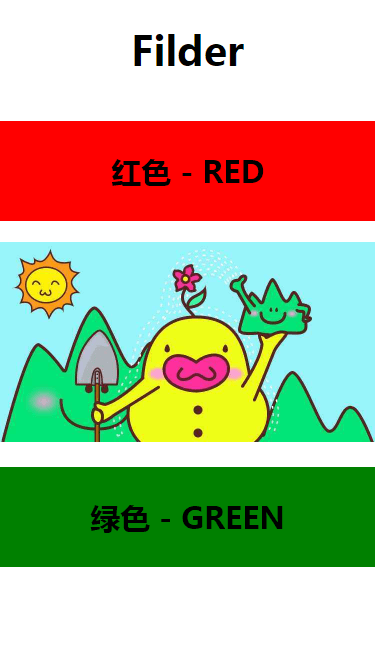
Demo 实现代码: 页面 CSS 样式
CSS
* {
    margin: 0;
    padding: 0;
}

html,
body {
    width: 100%;
    height: 100%;
}

html {
    /* 灰色模式 */
    /* -webkit-filter: grayscale(1);
				filter: grayscale(1); */
}

#app {
    width: 100vw;
    height: 100vh;
}

#app h1 {
    line-height: 100px;
    font-size: 40px;
    font-weight: bold;
    text-align: center;
}

h2 {
    line-height: 100px;
    font-size: 30px;
    font-weight: bold;
    text-align: center;
}

h2.r {
    background: red;
}

h2.g {
    background: green;
}

img {
    width: 375px;
    height: 200px;
}
页面布局
HTML
<!DOCTYPE html>
<html lang="zh">
    <head>
        <meta charset="UTF-8" />
        <meta name="viewport" content="width=device-width, initial-scale=1.0" />
        <meta http-equiv="X-UA-Compatible" content="ie=edge" />
    </head>
    <body>
        <div id="app">
            <h1>Filder</h1>
            <br />
            <h2 class="r">红色 - RED</h2>
            <br />
            <img
                src="https://timgsa.baidu.com/timg?image&quality=80&size=b9999_10000&sec=1586019993398&di=2e9ec900359cb1a24c6c5ec131ae87f2&imgtype=0&src=http%3A%2F%2Fimg0.imgtn.bdimg.com%2Fit%2Fu%3D4048520830%2C957432571%26fm%3D214%26gp%3D0.jpg"
                draggable="false"
            />
            <br />
            <br />
            <h2 class="g">绿色 - GREEN</h2>
        </div>
    </body>
</html>
置灰效果图
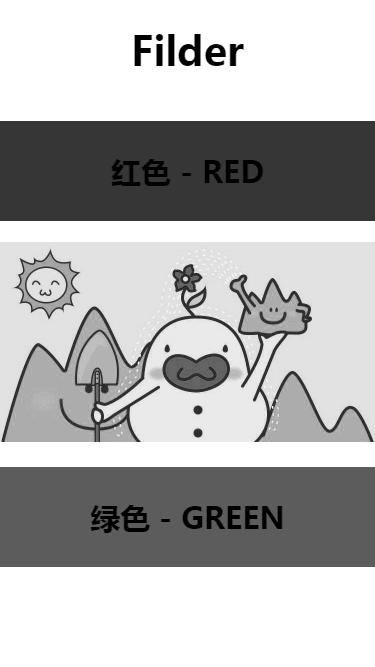
#置灰效果关键代码:
置灰效果关键代码:
html {
    /* 灰色模式 */
    -webkit-filter: grayscale(100%);
    filter: grayscale(100%);
    filter: progid:DXImageTransform.Microsoft.BasicImage(grayscale=1);
}
注意
主要用到的就是 CSS3 样式的 filter(滤镜) 属性